

A bookable page of your own
Your business gets a public page with your logo, photos, description and opening hours — and a Book button that works. You do not need your own website for customers to book you.
List your business on Kesari and customers in your area can find your services, see when you are actually free, and book a slot themselves — without a phone call, and without you needing a website of your own.
Set-up is a four-step form. Everything below explains what you get and what you will be asked for.
A Kesari listing is not a directory entry. It is a working booking page for your business, with your services, your people and your real availability behind it.
Your business gets a public page with your logo, photos, description and opening hours — and a Book button that works. You do not need your own website for customers to book you.

List every service you offer with how long it takes and what it costs, so customers arrive already knowing what they are booking and for how long.

Add the people who work with you, assign the services each of them performs, and give every person their own working hours rather than one shared diary.

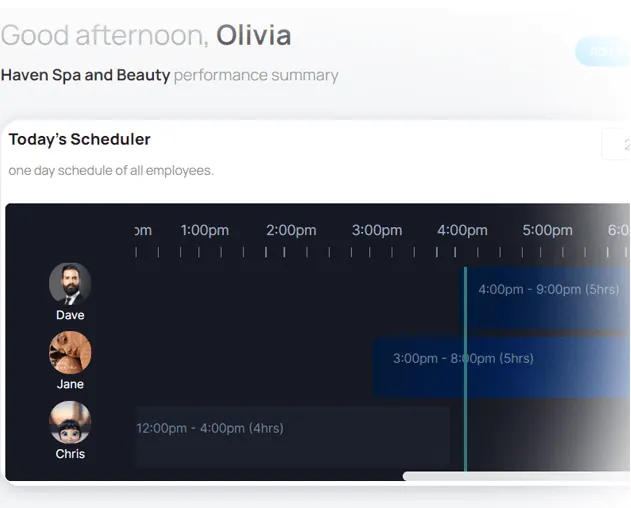
Set your opening hours and shifts once. When a customer books a slot it comes straight out of your availability, so you are never double-booked by the website.
This is the whole of the sign-up form. You can move back to an earlier step at any point before you finish.

Your business name, the owner account you will sign in with, and the contact details customers will see.

The address your listing is matched against, so you appear for people searching in your area.

Your logo and a featured image. This is what customers see first in search results, so it is worth a good photo.

Pick the plan that matches your current size. You can change it later as your staff, services or locations grow.
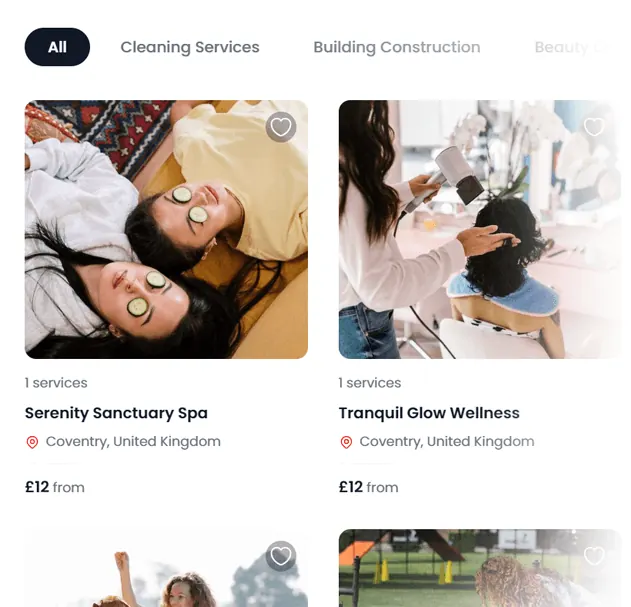
Kesari covers seven service categories across the UK. Each category has its own page where customers browse and compare — and your listing appears in the searches behind it.
Also searched as
Plans are sized by how many staff, services and locations you run, and you change plan when the business changes rather than paying up front for room you do not need yet. The current plans, and what each one includes, are listed on the pricing page.
The things business owners ask most often when they are deciding whether to set a listing up.
Your business name and contact details, the email address you want to sign in with, the address customers will find you at, and a logo plus one featured image. The last step is choosing a plan. That is the whole form.
No. Your Kesari listing is a public page in its own right, with your services, prices, opening hours and a working Book button. If you do have a website you can link to your Kesari page from it.
Yes. You can add each member of staff, choose which services each of them performs, and set their individual working hours, rather than running everyone off one shared diary.
Yes. You can manage multiple locations from the same account, each with its own services and staff, and customers searching a particular area see the location nearest them.
Customers search by service and location, and filter by price, distance and whether a business takes online bookings. Your listing also appears under the category page for your trade, and your business page is a normal public web page that search engines can index.
The slot comes out of your availability straight away and the appointment appears in your schedule, so the same time cannot be booked twice through the website.
The form is four steps and you can move back to an earlier step at any point before you finish. How long it takes depends mostly on how many services and staff you are adding.
Plans are sized by how many staff, services and locations you run, and you choose one as the final step of the sign-up form. The current plans and what each includes are listed on the Kesari pricing page.
Add your business, set your services and hours, and customers can start booking the slots you actually have free.